
International Museum Day 2012

This Friday, May 18, is the 35th annual International Museum Day. As indicated in their press release, the theme of this year's event is “Museums in a Changing World. New challenges, New inspirations.”

Banner

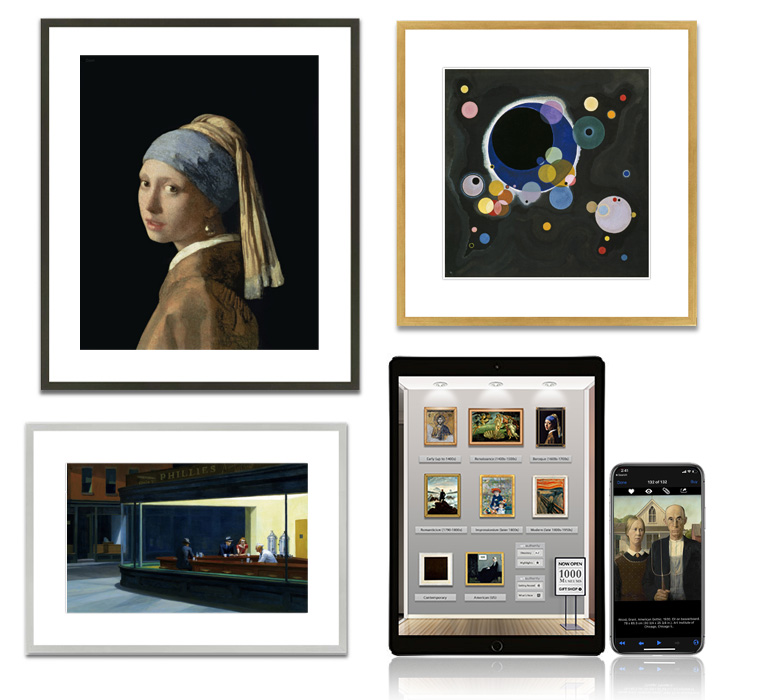
We think that theme is particularly appropriate. As you may know, we feel that Art Authority's collection of 50,000+ works of western art, free iBook, and our related activities, are a big part of that changing world and those new inspirations. And, yes, some of those new challenges as well. Making a difference in this changing world was the major impetus behind our new summer intern program, as well as a major theme in the "World's Biggest Art Museum" talk we moderated at Macworld/iWorld.

The International Museum Day press release goes on to state that 30,000 museums in over 100 countries are holding special events for the occasion. Well, we'd like to make it 30,001. So we're putting all versions of Art Authority on sale for the special price of $4.99 (normally $7.99 to $9.99 depending on platform), on Friday and througout the weekend. The recently retina-display-enhanced iPad version is a particularly good deal.

Our first Art Authority iBook - free!

Our first iBook, "Exploring Art with Art Authority" is now available through the iBook Store. And it's free! As our announcement states, the interactive iPad-based book is "a great introduction to the app for those just getting started with it, and a great companion for others who already know and love the app." 

Aabookcoverart

"Exploring Art with Art Authority" is organized in the same way as the app, with one chapter for each of the eight major art periods. Each chapter includes a brief summary of the period, a short movie showing off that period's "room" in the iPad app's museum, and an overview of a few of the key works from that period. A summary of the app line itself concludes the book.

Aabookscreenshot2
If you have a chance to check out the book, please let us know what you think.

An Internship at the Intersection of Art and Technology

Today we announced the Art Authority internship program, with space for up to 100 art majors to help us enhance the database behind the Art Authority app line this summer. We're very excited about this program, because it's a win-win-win situation:

  • We get to increase the size of the database (50,000+ works) by up to 50% while at the same time enhancing its quality with additional information on current works and higher-resolution images for the new iPad's retina display.
  • Art students get ahead-of-the-curve experience as key parts of their field transition into the digital realm. Plus they get to work on a way cool app :)
  • Users of the app around the world, including other students, get an even more comprehensive, up-to-date version of the app. 

Traditionally, an art internship would consist of moving to a big city like New York and working as a docent or other volunteer at a museum. Such an internship certainly still has its place for a certain set of students preparing for a certain set of jobs. But for others, who are already more focused on technology, getting a jump on the part of their field that they're more likely to go into could well prove invaluable.

At the iPad 2 introduction in 2011, Steve Jobs said "It's technology, married with liberal arts, married with the humanities, that yields us the result that makes our heart sing." Art Authority is quite literally the intersection of Art and Technology. And we're looking forward to meeting a whole lot of art students there.

Intersection

Art Authority Technologies, part 1

Art Authority is a great app for a number of reasons, with the most recent one being Apple's new iPad and its retina display. There's also of course all the classic works of art themselves, for which we can also take no credit. But we can (and do) take credit for the professionally designed rooms in which the works are displayed, and for the user interface and features of the app. Most of these elements are documented elsewhere, such as in the User's Guide.

What's not really documented anywhere, until now, is the critical set of technologies that really make Art Authority tick. How does Art Authority really give you, the user, access to those 50,000+ works (and 10GB) of art?

In part 1 of "Art Authority Technologies," we thought we'd provide a quick overview of some of those key technologies. Then, in subsequent blog entries, we'll go into more detail on each of them. So here's the initial list:

  • The Art Authority database. An industry-standard SQL collection of the "metadata" and images for each of the 1000+ artists, 500+ locations, 500+ keywords and 50,000+ works of art.
  • Art Near Me. The combination of app- and server-based technologies that quickly scan the entire database to determine the set of works that best convey the availability of art near your current location.
  • Art Like This. An advanced set of art analysis and classification techniques combined with server-side technologies that result in selection of the seemingly magically-derived set of works from the database that most closely match the one you are currently looking at. 
  • SmArt Resolution. A combination of low- and high-technology coordination techniques between the app and the database that provide you with the most appropriate resolution image in the least amount of time and using the least amount of bandwidth possible.

Much more on each of these important items soon!


Number one in Japan

Art Authority has always been very popular in Japan. The new Art Authority for the new iPad has certainly been no exception. Not only has it been the top-selling reference app for the past week, but it recently moved to the number 35 best-selling app overall. #35 may not sound like much, but out of 200,000 iPad apps, it's pretty meaningful. For instance, as you can see below, that's 10 better than Angry Birds Seasons (and at nearly three times the price).

Artauthorityjapan
They just love Art Authority in Japan! Not to toot our own horn too much, but here's a recent review:

このアプリは素晴らしいです - ★★★★★

この金額でこれだけの作品をみれるなんて素晴らしすぎます。 もっと値段が高くても良いのではないでしょうか? 唯一欠点としては、一人の画家の作品が多すぎて、見たい作品を探すのが大変なぐらいです。

For those of us who don't read Japanese, the operative word is

素晴らしい which means "amazing" or "awesome" :) The review's only complaint: too many works of art!

Real retina vs. non-retina photos

We now have an actual iPad 3 ("new iPad") with an actual retina display. As expected, the retina display looks amazingly sharp, as does the Art Authority museum and its works on that display. It hasn't been easy, but we've been able to come up with some good photographs comparing things to the way they were before (and still are on an iPad 1 or 2).

As in previous posts, be sure to click on the images for full-size, pixel-by-pixel (or better) resolution.

Here's the framed version of Botticelli's Birth of Venus, with the area of focus near the center highlighted.

Venusframed

And here are the non-retina (left) and retina versions of the highlighted section. You don't even need to zoom to notice the difference, for instance the strands of hair between Venus' arm and her body. If you do zoom, you can easily see each pixel in the non-retina display, but most of the retina pixels are still not visible. If you do want to compare, however, you can just barely make out the pixels at the bottom right of the retina display image.

Venusarmcompare2
While we had the camera out and in "macro" mode, here's one more level of zoom, which literally lets you see each-and-every pixel on both displays. Notice how four retina display pixels fit where there was just one previously. It's also cool how you can see distinct red, green and blue in the non-retina pixels.

Venusarmcomparezoom2
Everything looks so much clearer on the retina display, which is particularly important for the museum-quality experience we're trying to present with Art Authority. In fact, as we've been saying, things look just as clear in Art Authority on the retina display as they do in a museum.

Here's one more example where you can really see the difference, from a photo of Bernini's sculpture The Ecstasy of Saint Teresa, again with the area of focus highlighted.

Berninipartial
And here are the highlighted left-side rays. Even without zooming, you can see that the rays on the retina display look straight, just as your eye would see them looking at the sculpture. Pretty distinct difference, no?

Berninileftcompare2

Upgrading the Art Authority museum

As indicated in previous posts, we've been upgrading the virtual museum that our Art Authority app presents on the new iPad's retina display. It turns out there are an awful lot of components to that museum. You've seen some of the overall room upgrades in previous posts, but we thought you might like to see some of the details.

One of the most important components of any museum is its lighting. Here's the lighting upgrade from the Impressionism room (don't forget to click on the image itself for the pixel-by-pixel representation).

Lightsupgrade

We're guessing you can tell which were the old lights and which the new ones. Framing makes a big difference too. Here are the upgraded frames and plaques from the Baroque room:

Frameplaqueupgrade
Wallpaper literally sets the tone for a whole room, in this case the Romanticism room:

Wallpaperplaqueupgrade
The upgrade to the bench in the Baroque room is so realistic that you can see why it's roped off for the time being. It would be awfully uncomfortable!

Benchupgrade
Finally, we've made all the "getting around" signs clearer, such as this one from the American room:

Signupgrade

How much better, really, is the retina display?

We all know that the new iPad's retina display, at 2048x1536, is twice as big in each dimension as the previous iPad's, or four times the total pixels. We also know that, according to Apple, its resolution is so high that your eye can't distinguish individual pixels at "normal viewing distance." But how much better, really, is the retina display than the iPad 2's display?

You'll have to see it to believe it. That's the only real answer. Specs and numbers won't cut it. Best case, put an iPad 2 and an iPad 3 side by side, and compare. But what if you don't have both? How can we show you the difference here? It's tricky, since the display you're looking at probably doesn't even have as many pixels as a retina display. But we're going to try.

We of course believe that our Art Authority app, newly tuned for the retina display, is the best basis for comparison. Let's start in its Renaissance room, where we've highlighted the framed representation of Jan van Eyck's Arnolfini Portrait:

Compare-1-context
Following are pixel-by-pixel images of the highlighted part of that room on both displays. Click on the image to see all the detail (you can also zoom to full screen to see even better, but keep in mind you won't be viewing pixel-by-pixel in that case). To keep things the way your eye really perceives them, pixels from the iPad 2 display take up 4 pixels in its image. We think you can tell which image is which:

Compare-1

Continuing, here's the portrait hanging on the wall of the Renaissance Overview room. We've highlighted the thumbnails in the key work display that is beside it, along with a bit of its frame.

Compare-2-context
And here are the side-by-side, pixel-by-pixel comparisons:

Compare-2
Mona Lisa looks a little different, doesn't she? Finally, here's the whole picture, with the oft-analyzed mirror and other interesting items highlighted:

Compare-3-context
And side-by-side. Check out the artist's signature and the left portion of the chandelier in particular.

Compare-3
We hope you now get the picture! Let us know what you think, and how our comparison might be improved. Thanks.

As good as in a museum

We think that viewing works of art in the new Art Authority on the new iPad ("iPad 3") will provide your eyes with just as good an experience as viewing those works in a museum. Of course no app can fully replace the museum experience, and that's a good thing. Both museums and apps have their place in the art world, and, if you have access to a museum, we think Art Authority will only enhance your experience there. But...

Art apps already beat the museum experience in a number of ways:

  • You can view the art from the comfort of you own home, 24 hours a day
  • You can view a much larger variety of art, literally from around the world
  • You can avoid long road (or plane) trips, noisy crowds, and high prices
  • You can search for, explore, and view the art in new ways

Etc. etc. Until the iPad 3's retina display, however, if you used an app, your eyes knew they were still seeing the art on a computer display. You still saw individual pixels, and that's not the way the art really looks (certain Pointillism works aside, of course). The main reason to go to art museums is to look at art, and no app could provide you with as good a viewing experience.

Until now. With the retina display, your eyes will see the art just as they would in the museum. As Apple says: "Those pixels are so close together, your eyes can’t discern individual ones at a normal viewing distance. When you can’t see the pixels, you see the whole picture." Exactly!

Of course we had to enhance the app too, to include rooms, works, and other images that match the 2048 x 1536 resolution of the retina display (which, BTW, is bigger than almost any computer screen). And we had to do so without significantly increasing load times, which is a subject for a whole other post. But we did, and the results are simply amazing.

Amazing enough, we feel, that viewing art in the new Art Authority on a new iPad is now on par with viewing it in any art museum. We'll have to work on the noisy crowds next :)

Art on the "new iPad" is going to be even more amazing

We've just submitted a new version of Art Authority for the "new iPad" (aka the iPad 3). If the simulator Apple provides is any indication, the app is going to look even more amazing on it. Here's a sample to whet all of our appetites. Since the iPad 3's resolution is bigger than almost any computer screen, we've also included a "zoomed in" version so you can better see the actual details. Be sure to zoom in as much as you can, even on the zoomed-in version, and keep in mind that these images have actually been compressed so they don't take forever to load.


Aaforipadscreen


Aaforipadscreenzoom